EN
EN




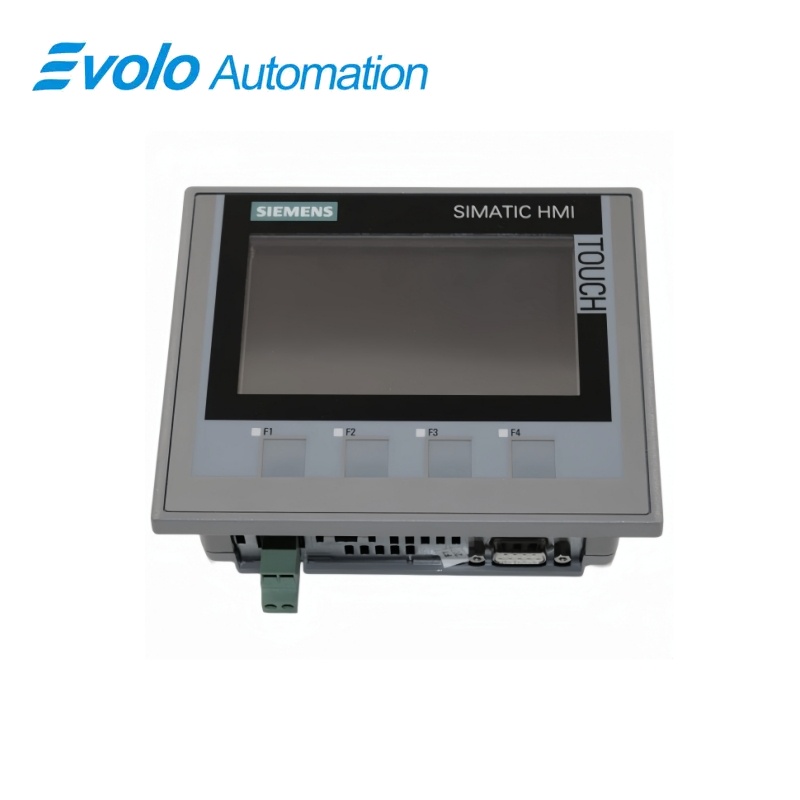
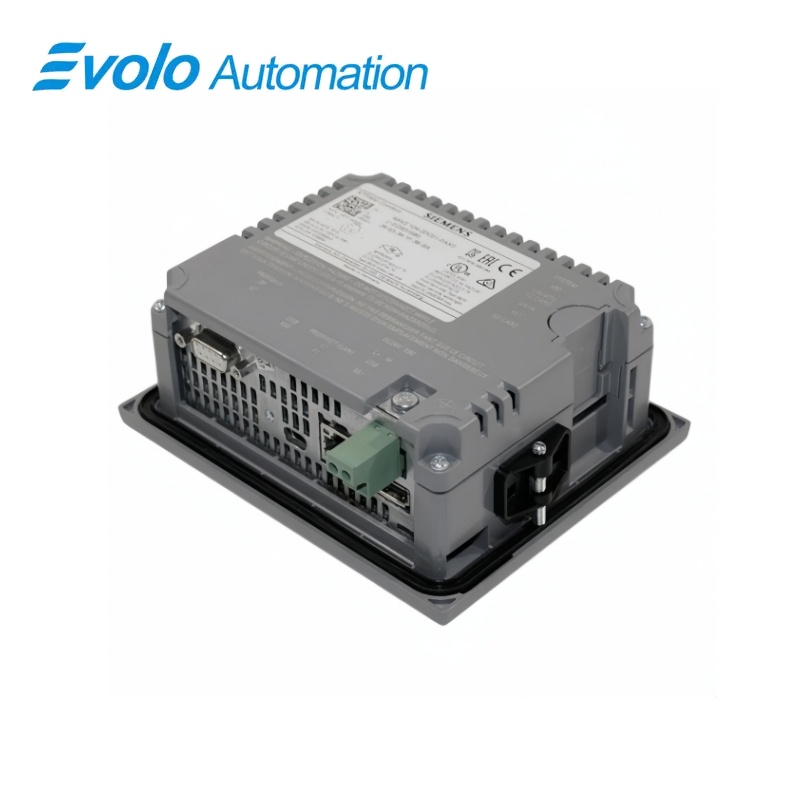
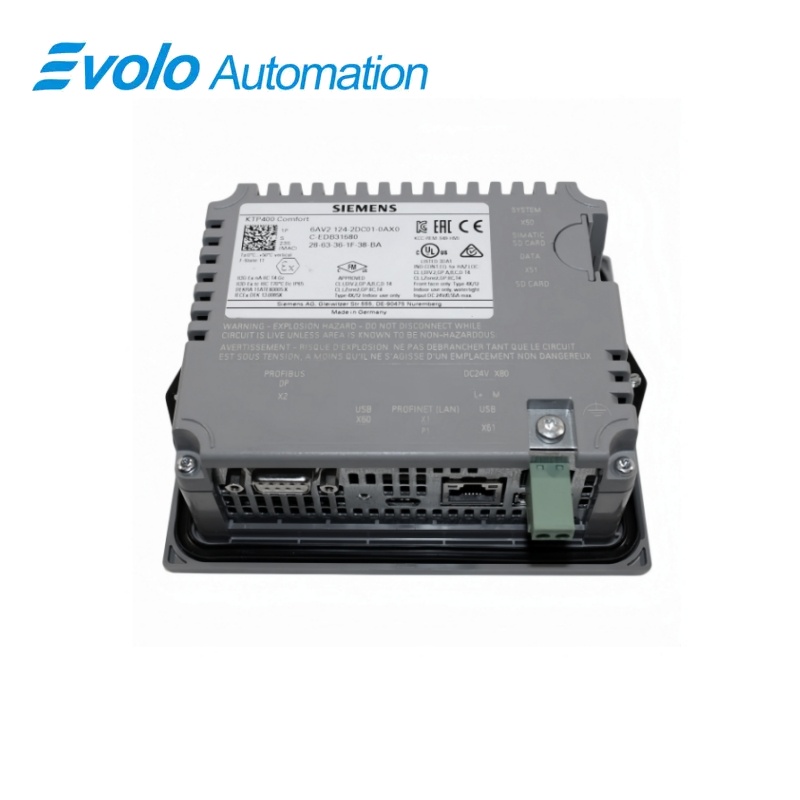
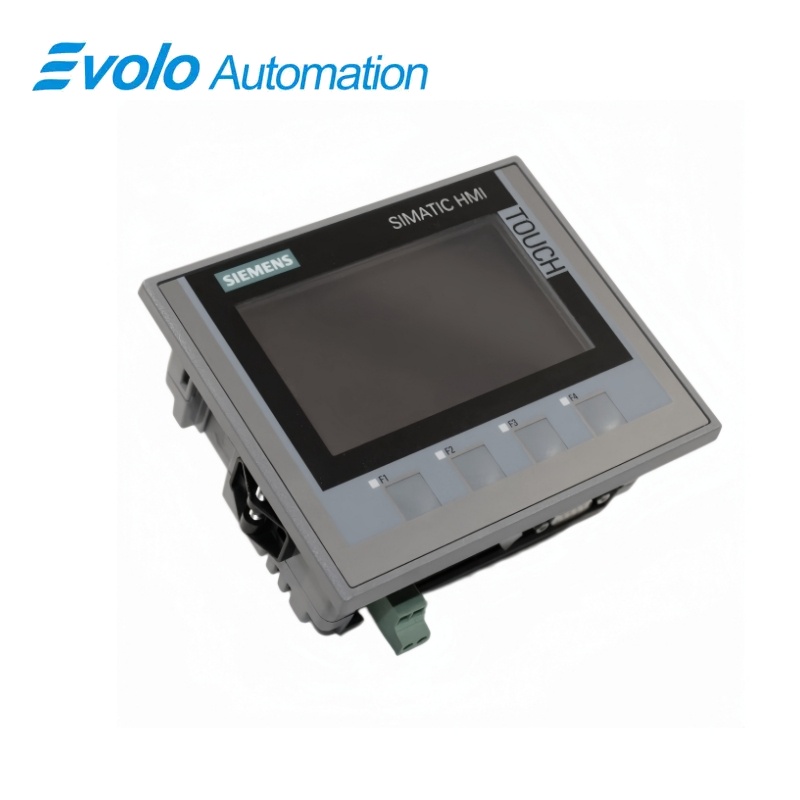
Siemens SIMATIC HMI KTP400 Comfort Panel 6AV2124-2DC01-0AX0
Manufacturer: Siemens
Condition: Brand New
Lead Time: In Stock
Origin: Germany
Warranty: 12 Months
Email: [email protected]
whatsApp: +86-18150117685
- Overview
- Product Overview
- Key Functions
- Official Specifications
- Frequently Asked Questions
- Compatibility & Ordering Notes
- Hot Selling Models
- Recommended Products
Overview
Siemens • SIMATIC HMI Comfort Panels
6AV2124-2DC01-0AX0 SIMATIC HMI KTP400 Comfort Panel
The SIMATIC HMI KTP400 Comfort is a compact 4.3-inch widescreen operator panel with analog-resistive touch, four illuminated function keys, PROFINET and MPI/PROFIBUS DP connectivity.
At a Glance
| Brand | Siemens |
|---|---|
| Model | 6AV2124-2DC01-0AX0 |
| Product Type | 4.3-inch key and touch operator panel |
| Core Function | Provides local machine visualization and operation through touch, function keys and industrial communication interfaces |
| Application or Compatible Series | SIMATIC automation systems using PROFINET or MPI/PROFIBUS DP with WinCC Comfort engineering |
Exact Identification
Match 6AV2124-2DC01-0AX0 character by character and confirm the complete SIMATIC HMI KTP400 Comfort Panel designation.
Interface Arrangement
Confirm the installed supply, ports, field connections and required accessories before wiring the replacement.
Configuration Check
Preserve the approved engineering project, network parameters and application data used by the installed system.
Product Overview
The SIMATIC HMI KTP400 Comfort is a compact 4.3-inch widescreen operator panel with analog-resistive touch, four illuminated function keys, PROFINET and MPI/PROFIBUS DP connectivity.
Four illuminated function keys complement the analog-resistive touchscreen for compact machine control. PROFINET and the combined RS 422/485 interface support connection to compatible SIMATIC systems. Four megabytes of configuration memory and removable media slots support visualization projects and maintenance workflows.
Key Functions
Combined Key and Touch Operation
Four illuminated function keys complement the analog-resistive touchscreen for compact machine control.
Industrial Network Integration
PROFINET and the combined RS 422/485 interface support connection to compatible SIMATIC systems.
Flexible Project Handling
Four megabytes of configuration memory and removable media slots support visualization projects and maintenance workflows.
Official Specifications
| Display Type | TFT widescreen |
|---|---|
| Screen Diagonal | 4.3 in |
| Display Area | 95 x 53.8 mm |
| Resolution | 480 x 272 pixels |
| Color Depth | 16,777,216 colors |
| Backlight MTBF at 25 °C | 80,000 h |
| Backlight Dimming | 0 to 100% |
| Touch Technology | Analog resistive |
| Illuminated Function Keys | 4 |
| Configuration Memory | 4 MB |
| Industrial Ethernet Interfaces | 1 |
| Combined RS 422/485 Interfaces | 1 |
| USB Interfaces | 1 USB 2.0 plus 1 USB Mini-B |
| SD Card Slots | 2 |
| PROFINET IRT | Supported |
| Front Protection | IP65 / Type 4X indoor |
| Rear Protection | IP20 |
| Engineering Software | WinCC Comfort V11 or later |
Frequently Asked Questions
Which engineering software is required for 6AV2124-2DC01-0AX0?
Use WinCC Comfort V11 or a compatible later release that supports the target panel configuration.
Can 6AV2124-2DC01-0AX0 communicate over PROFIBUS DP?
Yes; use the combined RS 422/485 interface and restore the original MPI or PROFIBUS DP parameters.
Does 6AV2124-2DC01-0AX0 support both touch and hardware keys?
Yes; the panel combines an analog-resistive touchscreen with four illuminated function keys.
How should a project be transferred to 6AV2124-2DC01-0AX0?
Use the configured Ethernet, serial or service connection and preserve the validated device name and addressing.
What enclosure conditions are needed for 6AV2124-2DC01-0AX0?
Maintain the front seal for IP65 protection and provide an enclosure that protects the IP20 rear section.
What should be backed up before replacing 6AV2124-2DC01-0AX0?
Save the WinCC project, recipes, user data, network settings, licenses and any removable-media content.
What should be tested after installing 6AV2124-2DC01-0AX0?
Check touch calibration, all four function keys, communications, alarms, recipes and screen navigation.
Compatibility & Ordering Notes
Compatibility Checklist
- Use a WinCC Comfort version that supports this generation.
- Restore the original PROFINET or MPI/PROFIBUS DP parameters.
- Verify the panel cutout, seal and rear clearance before installation.