EN
EN




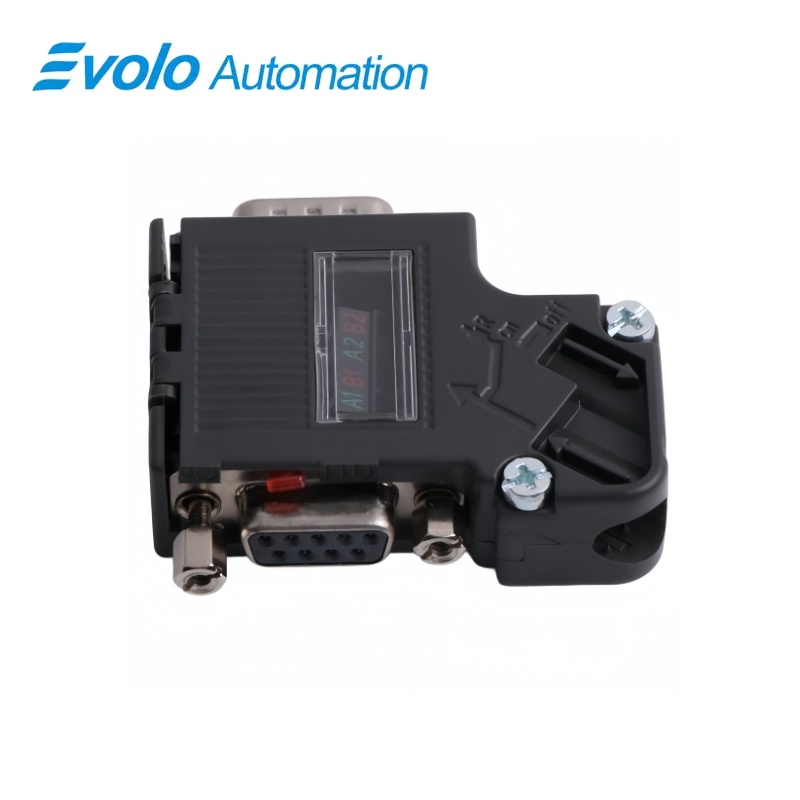
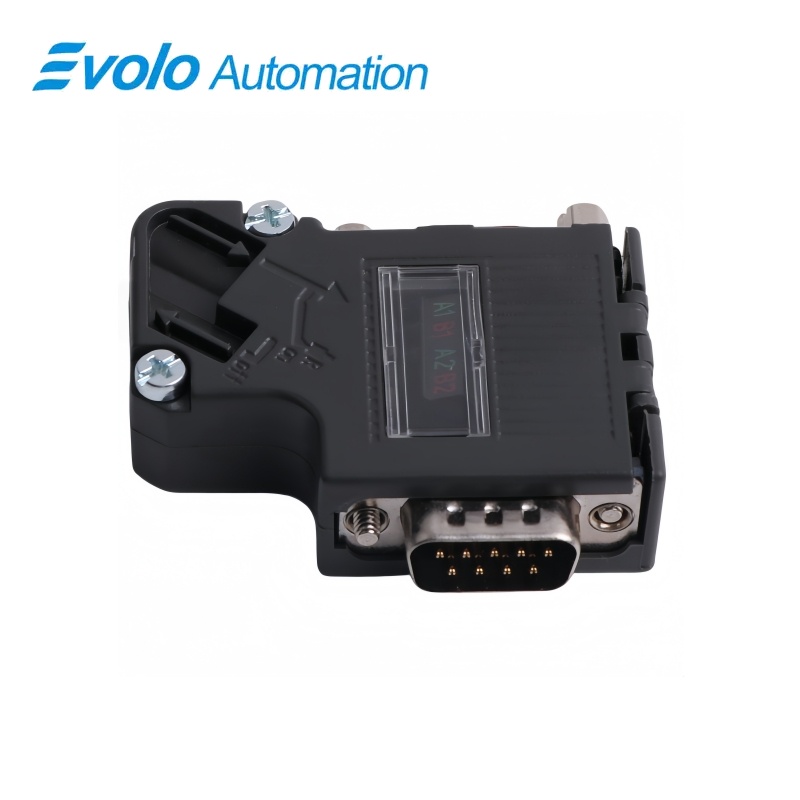
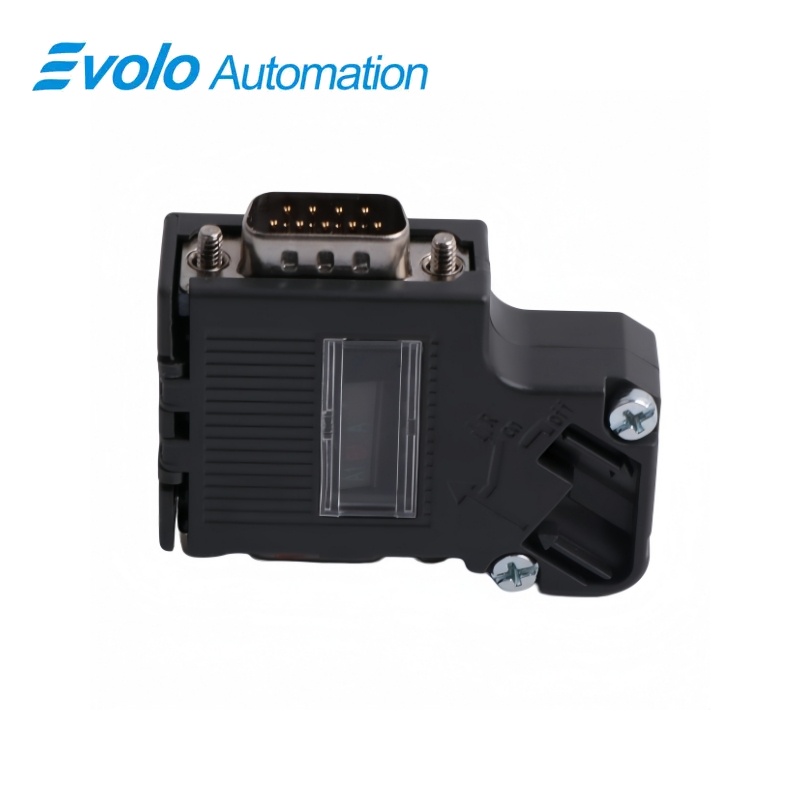
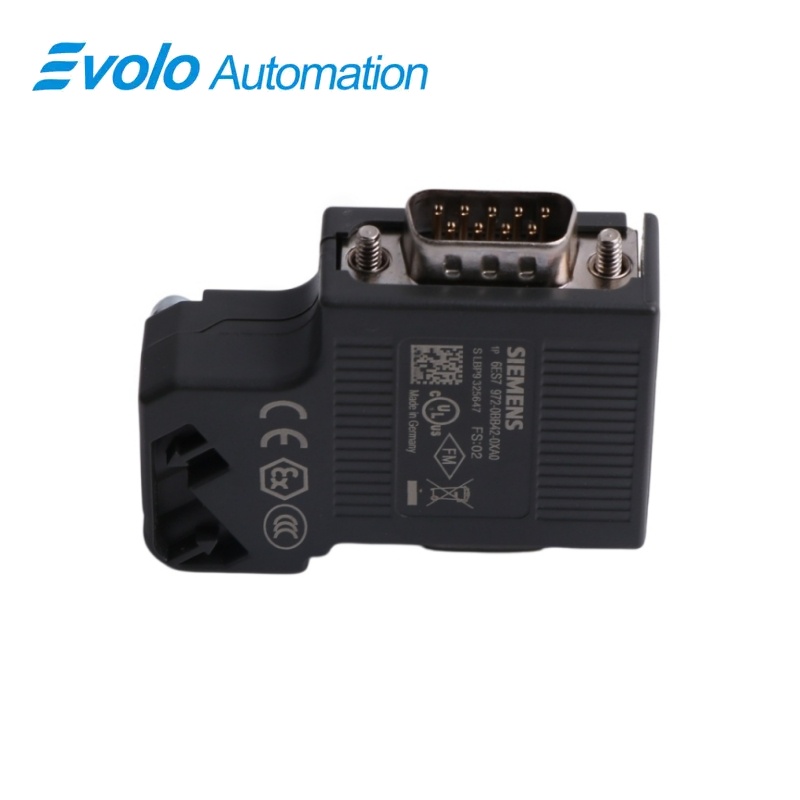
Siemens 6ES7972-0BB42-0XA0 SIMATIC PROFIBUS 35-Degree Screw Connector with PG Socket
Manufacturer: Siemens
Condition: Brand New
Lead Time: In Stock
Origin: Germany
Warranty: 12 Months
Email: [email protected]
whatsApp: +86-18150117685
- Overview
- Hot Selling Models
- Recommended Products
Overview
- Connect to a compatible electrical 9-pin D-sub PROFIBUS interface.
- Use the screw-terminal assembly method and the recommended A-green and B-red conductor assignment.
- Expose the cable shield at the designated contact element.
- Allow room for the 35° cable outlet and complete enclosure dimensions.
- Account for disconnection of the outgoing bus path when the termination switch is ON.
6ES7972-0BB42-0XA0 SIMATIC PROFIBUS 35-Degree Screw Connector with PG Socket
A screw-terminal PROFIBUS connector with a 35° cable outlet, integrated switchable bus termination, cable strain relief and a separate programming-device socket.
At a Glance
| Brand | Siemens |
|---|---|
| Model | 6ES7972-0BB42-0XA0 |
| Product Type | RS-485 bus connector |
| Core Function | Connecting an electrical bus station to the network cable |
| Application | PROFIBUS stations with a 9-pin D-sub interface |
35° cable direction
The angled outlet routes the bus cable away from the device interface.
Screw-wire connection
Two PROFIBUS cable connections use screw terminals rather than FastConnect IDC.
PG access
The BB42 version includes the additional programming-device socket.
Product Overview
6ES7972-0BB42-0XA0 connects a PROFIBUS station to the electrical RS-485 bus through a 9-pin D-sub interface, with a 35° cable outlet and screw terminals for the bus conductors.
The connector provides two cable connections for line continuation, an integrated resistor combination selected by a slide switch and a PG socket for service access.
Key Functions
Wire the PROFIBUS pair into screw terminals
The green and red conductors are secured in the A and B terminal positions, with the cable shield making bare contact with the shield element.
Terminate the segment with an isolating slide switch
The integrated resistor is selected by the slide switch; the ON setting also disconnects the PROFIBUS continuation at that point.
Provide a dedicated programming-device connection
The BB42 housing includes the separate PG socket while retaining the station’s 9-pin D-sub bus interface.
Official Specifications
| PROFIBUS DP Transfer Rate | 9.6 kbit/s to 12 Mbit/s |
|---|---|
| Cable Connections | 2 PROFIBUS cable connections |
| Station Connection | 1 × 9-pin D-sub connector |
| Wire-Termination Method | Screw terminals; no FastConnect insulation-displacement contacts |
| Cable Outlet Angle | 35° |
| Bus-Termination Design | Integrated resistor combination, switchable by slide switch |
| Additional Service Connection | PG socket |
| Enclosure and Locking | Plastic enclosure with screw locking |
| Dimensions (Width × Height × Depth) | 15.8 × 54 × 39.5 mm |
| Net Weight | 34 g |
| Operating Ambient Temperature | −25 to +60 °C |
| Storage and Transport Temperature | −40 to +70 °C |
| Degree of Protection | IP20 |
| Cable Retention | Integrated strain relief |
| Silicone Content | Silicone-free |
Frequently Asked Questions
Will 6ES7972-0BB42-0XA0 accept wires by the FastConnect IDC method?
This version uses screw terminals for the PROFIBUS conductors rather than FastConnect insulation-displacement contacts.
Which wire colors should I connect to A and B when assembling 6ES7972-0BB42-0XA0?
Use the recommended assignment of green to A and red to B.
Where must the shield be exposed inside 6ES7972-0BB42-0XA0?
The cable shield must be stripped bare where it rests on the connector’s contact element.
Why do stations further along the cable lose communication when I switch 6ES7972-0BB42-0XA0 to ON?
The ON setting disconnects the outgoing PROFIBUS path while connecting the terminating resistor.
Can I connect a programming device directly at 6ES7972-0BB42-0XA0?
The BB42 version includes a separate PG socket.
What enclosure space should I allow for the angled outlet of 6ES7972-0BB42-0XA0?
Allow for a 35° cable outlet and a connector body measuring 15.8 × 54 × 39.5 mm.
How do I secure the cable after wiring the terminals in 6ES7972-0BB42-0XA0?
Position the cable between the terminal blocks, tighten the conductor screws and close and secure the enclosure cover.