EN
EN




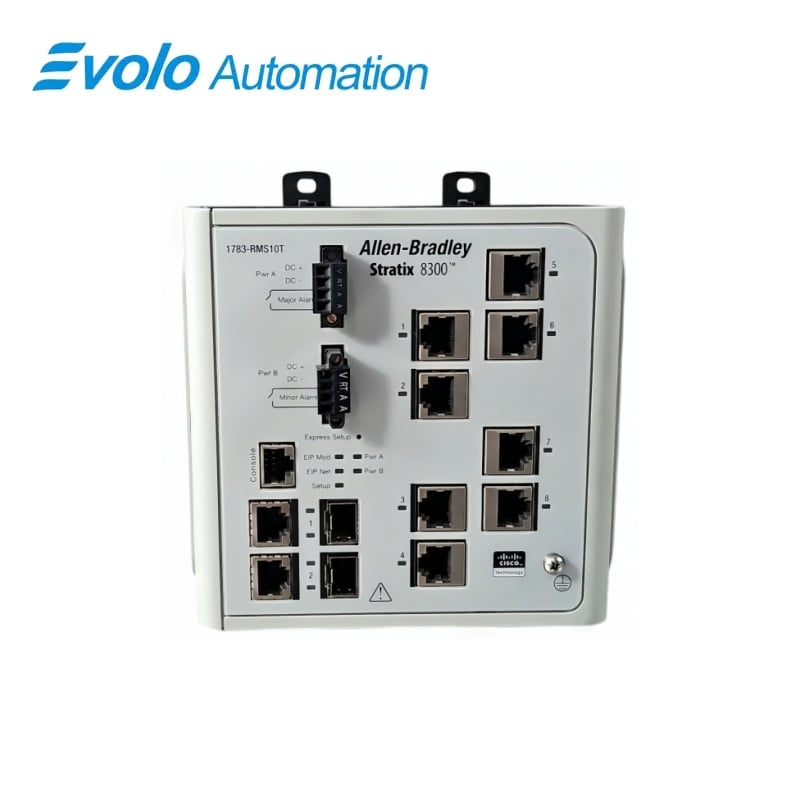
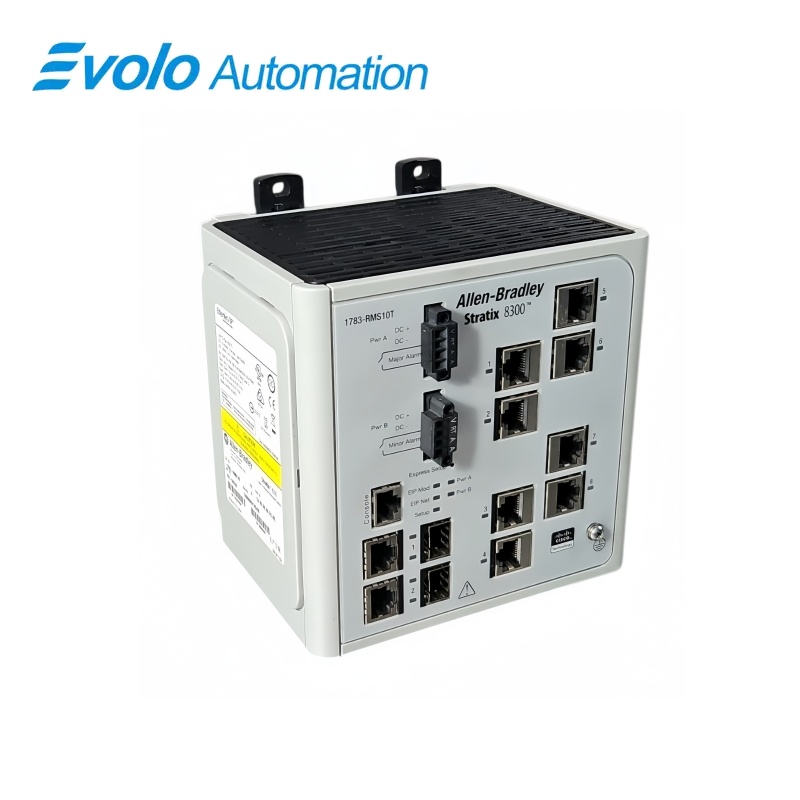
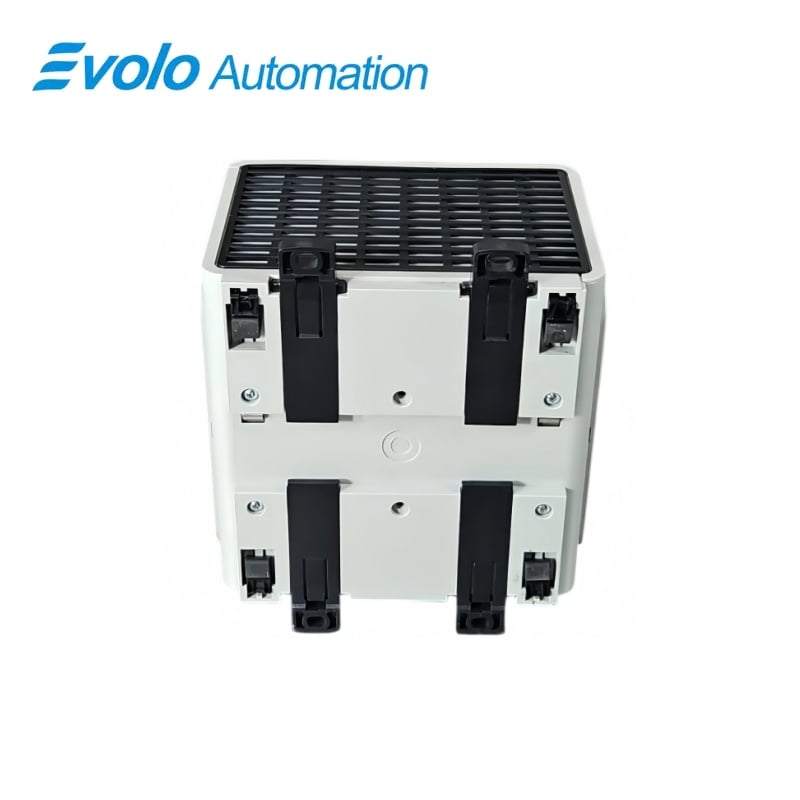
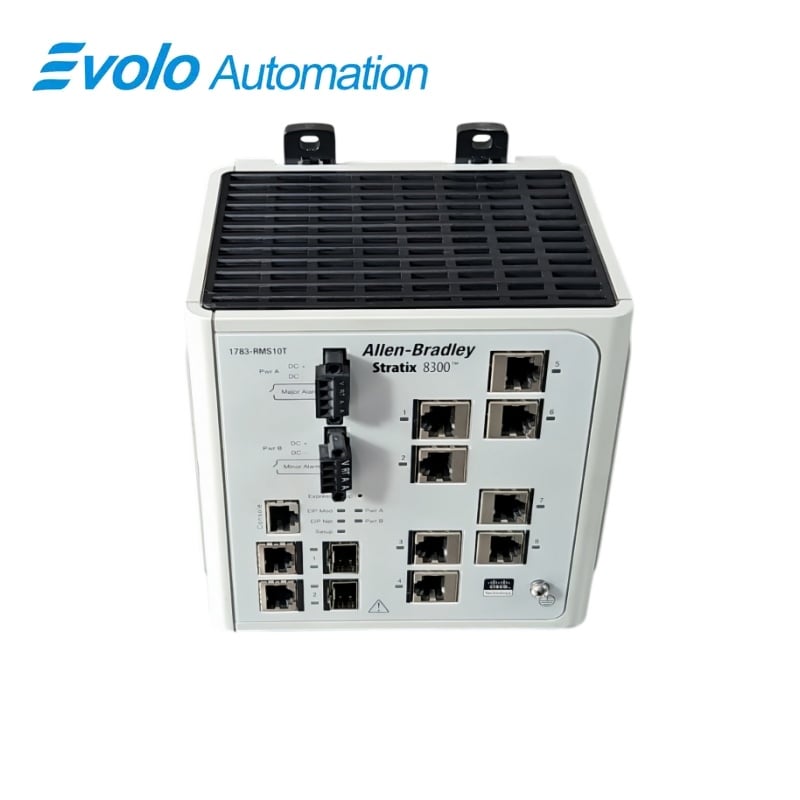
Rockwell Automation PLC Stratix 8300 Ten-Port Managed Ethernet Switch 1783-RMS10T
Manufacturer: Rockwell Automation
Condition: Brand New
Lead Time: In Stock
Origin: United States
Warranty: 12 Months
Email: [email protected]
whatsApp: +86-18150117685
- Overview
- Product Overview
- Key Functions
- Official Specifications
- Frequently Asked Questions
- Compatibility & Ordering Notes
- Hot Selling Models
- Recommended Products
Overview
Rockwell Automation • Allen-Bradley Stratix 8300
1783-RMS10T PLC Stratix 8300 Ten-Port Managed Ethernet Switch
The Allen-Bradley Stratix 8300 is a manageable Layer 3 industrial Ethernet switch with ten ports, a 18 to 60 V DC supply input and panel-mount open-style construction.
At a Glance
| Brand | Allen-Bradley |
|---|---|
| Model | 1783-RMS10T |
| Product Type | Layer 3 managed industrial Ethernet switch |
| Core Function | Routes and manages industrial Ethernet traffic through ten configurable network ports |
| Application or Compatible Series | Stratix 8300 industrial automation networks using Studio 5000 and managed Ethernet services |
Exact Identification
Match 1783-RMS10T character by character and confirm the complete Allen-Bradley Stratix 8300 Ten-Port Managed Ethernet Switch designation.
Interface Arrangement
Confirm the installed supply, ports, field connections and required accessories before wiring the replacement.
Configuration Check
Preserve the approved engineering project, network parameters and application data used by the installed system.
Product Overview
The Allen-Bradley Stratix 8300 is a manageable Layer 3 industrial Ethernet switch with ten ports, a 18 to 60 V DC supply input and panel-mount open-style construction.
The managed switch supports routing and industrial network segmentation for automation architectures. Dedicated DC power, grounding and alarm-relay connections support control-panel installation. Published device profiles, firmware and technical data support configuration and maintenance.
Key Functions
Layer 3 Network Services
The managed switch supports routing and industrial network segmentation for automation architectures.
Industrial Power and Alarm Wiring
Dedicated DC power, grounding and alarm-relay connections support control-panel installation.
Rockwell Engineering Integration
Published device profiles, firmware and technical data support configuration and maintenance.
Official Specifications
| Ethernet Ports | 10 |
|---|---|
| Supply Input Range | 18 to 60 V DC |
| Maximum Supply Input Current | 2 A |
| Maximum Inrush Current | 2 A |
| Maximum Power Consumption | 15.7 W |
| Alarm Relay Rating | 1 A at 30 V DC maximum |
| Continuous Isolation Voltage | 75 V |
| Degree of Protection | IP20 |
| Housing Construction | Open-style |
| Operating Ambient Maximum | 60 °C |
| Operating Vibration | 2 g at 10 to 500 Hz |
| Operating Shock | 20 g |
| Non-Operating Shock | 30 g |
| Dimensions | 15.3 x 14.8 x 11.75 cm |
Frequently Asked Questions
Can 1783-RMS10T route between industrial Ethernet networks?
Yes; the managed switch provides the documented Layer 3 capability for configured network segments.
Which DC supply range should I use for 1783-RMS10T?
Provide a Class 2 or SELV source within the specified 18 to 60 V DC input range.
How many network ports are available on 1783-RMS10T?
The switch provides ten Ethernet ports.
What project data should be saved before replacing 1783-RMS10T?
Back up the switch configuration, IP addresses, VLANs, routing, security settings, firmware and port map.
How should the alarm relay of 1783-RMS10T be wired?
Keep the alarm circuit within the documented 1 A at 30 V DC maximum rating.
Which enclosure is appropriate for 1783-RMS10T?
Install the open-style IP20 switch inside a suitable industrial control enclosure.
What should be tested after installing 1783-RMS10T?
Verify power, grounding, every port, VLAN and routing behavior, controller communication, alarms and diagnostics.
Compatibility & Ordering Notes
Compatibility Checklist
- Use the Rockwell device profile and firmware supported by the installed engineering environment.
- Recreate the validated VLAN, routing and security configuration before reconnecting production traffic.
- Install the open-style device in an enclosure that maintains the specified environmental limits.