EN




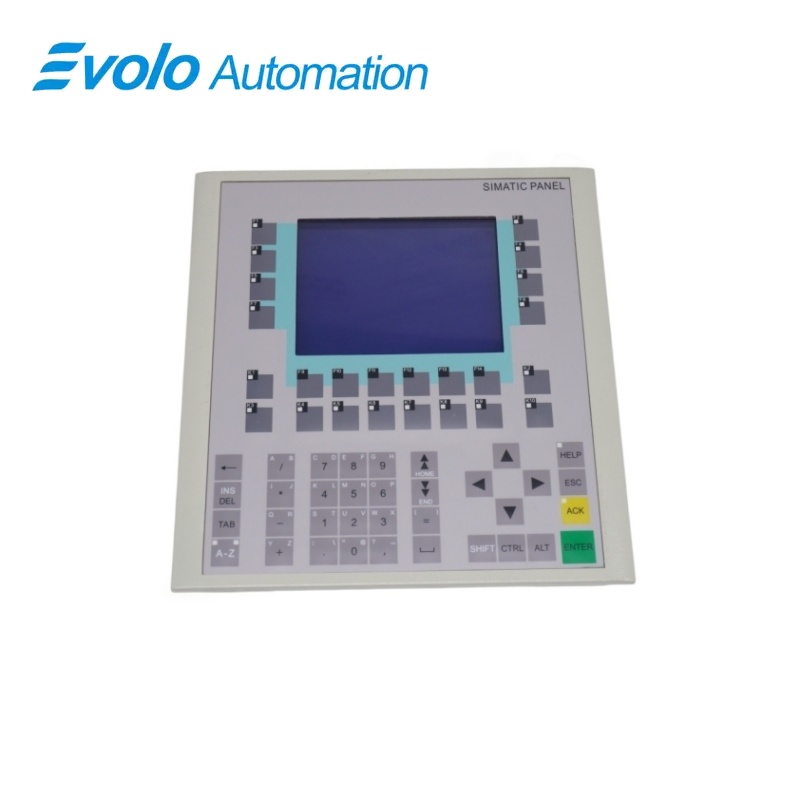
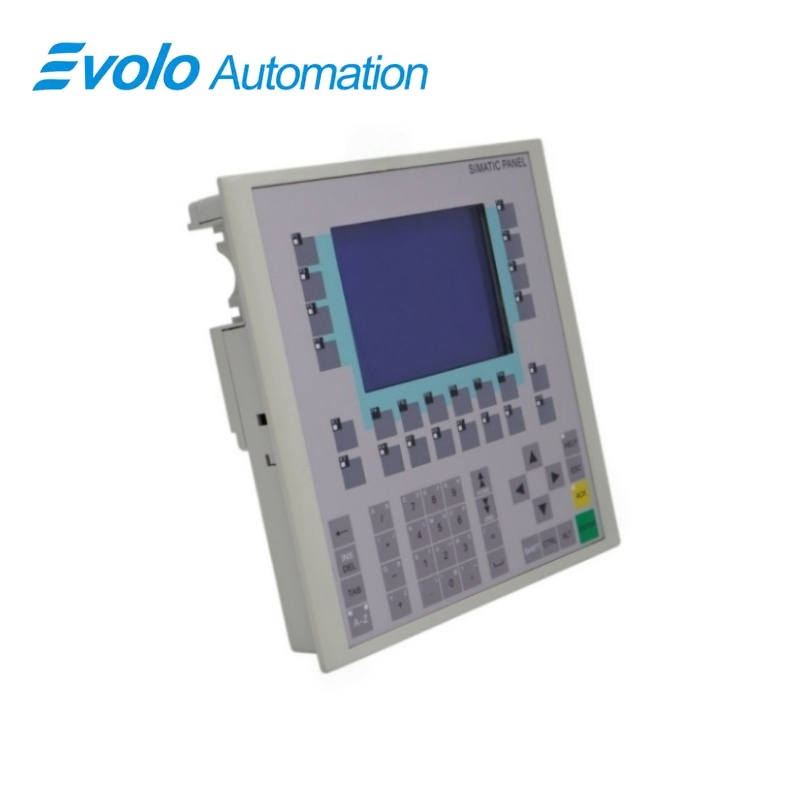
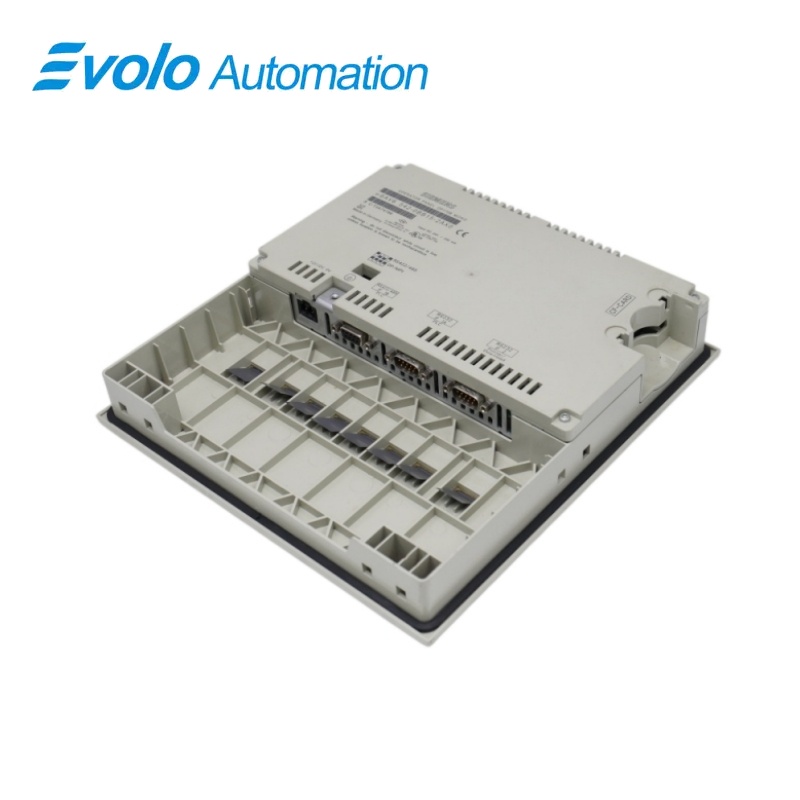
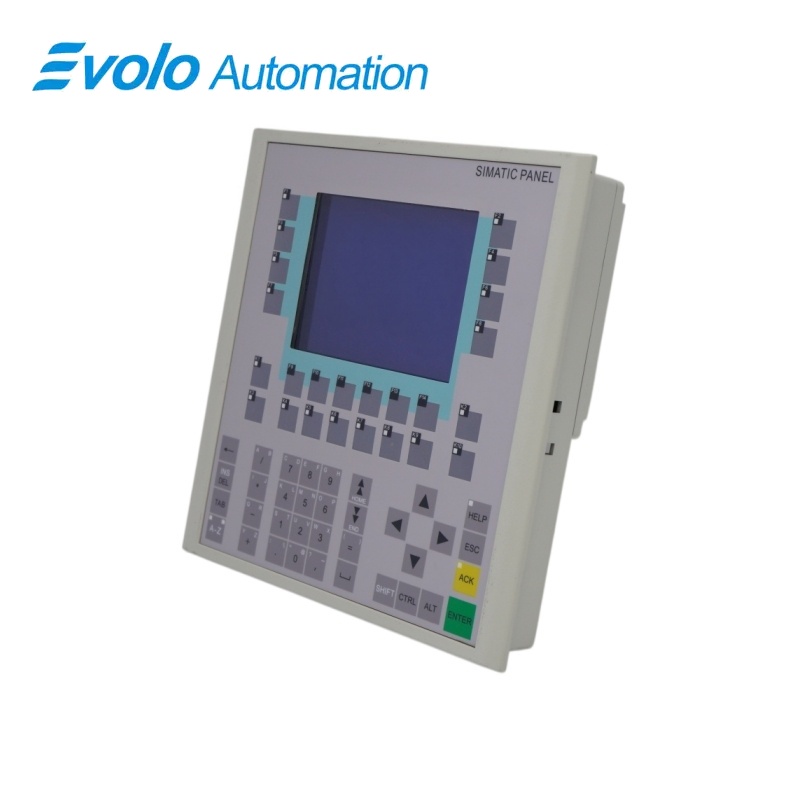
Siemens SIMATIC HMI 6AV6542-0BB15-2AX0 OP 170B Operator Panel
Manufacturer: Siemens
Condition: Brand New
Lead Time: In Stock
Origin: Germany
Warranty: 12 Months
Email: [email protected]
whatsApp: +86-18150117685
- Overview
- Product Overview
- Key Functions
- Official Specifications
- Frequently Asked Questions
- Compatibility & Ordering Notes
- Hot Selling Models
- Recommended Products
Overview
Siemens · SIMATIC HMI
6AV6542-0BB15-2AX0 OP 170B Operator Panel
Siemens 6AV6542-0BB15-2AX0 is the SIMATIC HMI OP 170B operator panel with a 320 x 240 display, matrix keypad, MPI/PROFIBUS DP communication and serial interfaces.
At a Glance
| Brand | Siemens |
|---|---|
| Model | 6AV6542-0BB15-2AX0 |
| Product Type | Key-operated 5.7-inch operator panel |
| Core Function | Provides local machine visualization and keypad-based operation |
| Application or Compatible Series | SIMATIC automation systems configured with ProTool or WinCC flexible |
Project Backup
Archive the complete HMI project, recipes, passwords and communication parameters before replacement.
Interface Match
Confirm the configured MPI, PROFIBUS DP or serial connection and copy every bus setting.
Panel Cutout
Verify the existing enclosure cutout, mounting depth and front protection before installation.
Product Overview
Siemens 6AV6542-0BB15-2AX0 is the SIMATIC HMI OP 170B operator panel with a 320 x 240 display, matrix keypad, MPI/PROFIBUS DP communication and serial interfaces.
Twenty-four configurable function keys support reliable local machine commands. MPI/PROFIBUS DP and serial ports connect the panel to controllers, engineering stations and printers. The embedded operating environment supports configured screens, alarms, recipes and multilingual operation.
Key Functions
Keypad Operation
Twenty-four configurable function keys support reliable local machine commands.
SIMATIC Connectivity
MPI/PROFIBUS DP and serial ports connect the panel to controllers, engineering stations and printers.
Windows CE Runtime
The embedded operating environment supports configured screens, alarms, recipes and multilingual operation.
Official Specifications
| Processor | 32-bit RISC |
|---|---|
| Configuration Memory | 768 KB |
| Operating System | Microsoft Windows CE |
| Display Resolution | 320 x 240 pixels |
| Active Display Area | 116 x 87 mm |
| Display Mode | 4-level blue mode |
| Configurable Function Keys | 24 |
| Function Keys with LED | 18 |
| Keys Usable as Softkeys | 14 |
| S7 Communication | MPI/PROFIBUS DP |
| Maximum PROFIBUS DP Rate | 12 Mbit/s |
| Primary Serial Interfaces | RS-232 and RS-422/RS-485 |
| Secondary Serial Interface | RS-232 |
| External Memory | PC card slot |
| Housing Dimensions | 240 x 252 mm |
| Mounting Cutout | 229 x 241 mm |
| Mounting Depth | 45 mm |
| Front Protection | IP65 / NEMA 4 |
| Rear Protection | IP20 |
| Approximate Weight | 1 kg |
Frequently Asked Questions
Which project data should I secure before replacing 6AV6542-0BB15-2AX0?
Back up the panel project, recipes, passwords, alarm settings and controller connections.
Can 6AV6542-0BB15-2AX0 communicate through PROFIBUS DP?
Yes, the S7 interface supports MPI and PROFIBUS DP communication at the configured bus rate.
What enclosure opening is required for 6AV6542-0BB15-2AX0?
Use a cutout measuring approximately 229 by 241 millimetres and allow the specified mounting depth.
How many configurable function keys are available on 6AV6542-0BB15-2AX0?
The keypad provides twenty-four configurable function keys, including eighteen with a single-color LED.
Which memory media can be used with 6AV6542-0BB15-2AX0?
The panel provides one slot for an external PC card.
What should I check if 6AV6542-0BB15-2AX0 cannot reach the controller?
Compare the interface type, node address, baud rate, cable, termination and project connection settings.
How should I validate 6AV6542-0BB15-2AX0 after installation?
Test screen navigation, every key, alarms, recipes, language switching and communication with the controller.
Compatibility & Ordering Notes
Compatibility Checklist
- Match the exact OP 170B hardware and retain the original HMI project and runtime settings.
- Confirm the configured controller connection, bus address, data rate, cable and termination.
- Verify the enclosure cutout, mounting depth, power wiring and environmental protection.